Certificates of Insurance (COIs)
How to issue COIs, what to include, and the full broker contact list for COI requests.
What is a COI?
How to Issue a COI
Log in to the carrier portal (Progressive, Geico, or Cover Whale) using the agency credentials.
Navigate to the client's active policy.
Find the 'Certificate of Insurance' or 'COI' section and click 'Issue New Certificate'.
Enter the certificate holder's name and address exactly as provided by the broker.
Select the correct coverage types to display (Auto Liability, Cargo, etc.).
Download the PDF and email it directly to the broker's COI email address.
Save a copy of the COI in the client's CRM record.
Broker COI Contact List
When a broker requests a COI, send it to the address and email below. Last updated January 14, 2026.
Registry Monitoring Insurance Services, Inc. (RMIS)
2261 Market Street, PMB 85402, San Francisco, CA 94114
Integrity Express Logistics
4420 Cooper Road Suite 400, Cincinnati, OH 45242
Highway App, Inc.
5931 Greenville Ave, Unit #5620, Dallas, TX 75206
Self Serve COI Tool
Customers can request their own COIs 24/7 through the self-serve portal at coi.insurance4truck.com. Follow the two steps below before sending the customer their login instructions.
1Set Up the Customer in the CRM
Before sending the email out to the customer, go to the customer's file in the CRM and make sure the Self Serve Enabled selection is Yes, then click Change Password. We always keep the password simple.
For example, your customer's password will be oit2026!!
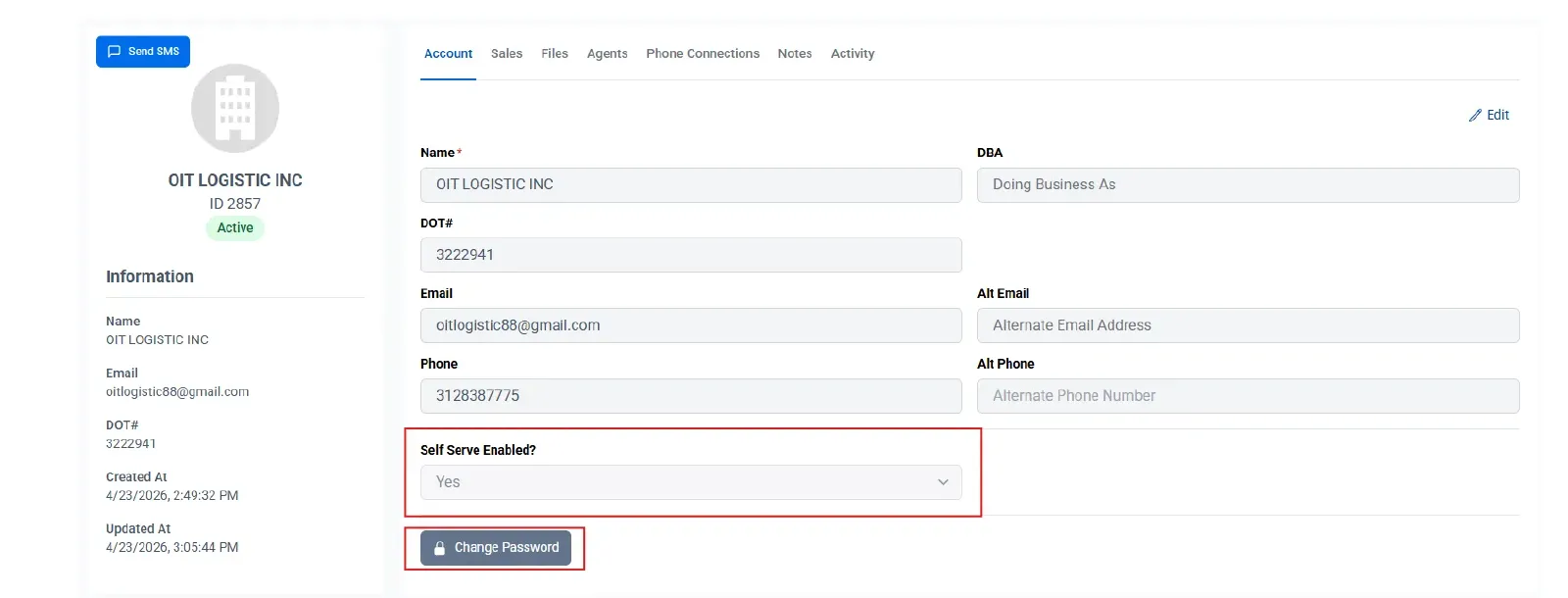
oit2026!!. For future customers, you will need to complete this step yourself before sending the email below.2Send the Customer Their Login Instructions
The following is the template we use to send to customers. You will need to go through the login steps and take screenshots as you go to replace the ones it currently contains, as well as change out the email and password you created in Step 1 to match your customer's.
I've completed this one for OIT — all you will need to do is copy and paste it to send to the customer.
Here are instructions to use the Self Serve COI tool
Go here: https://coi.insurance4truck.com
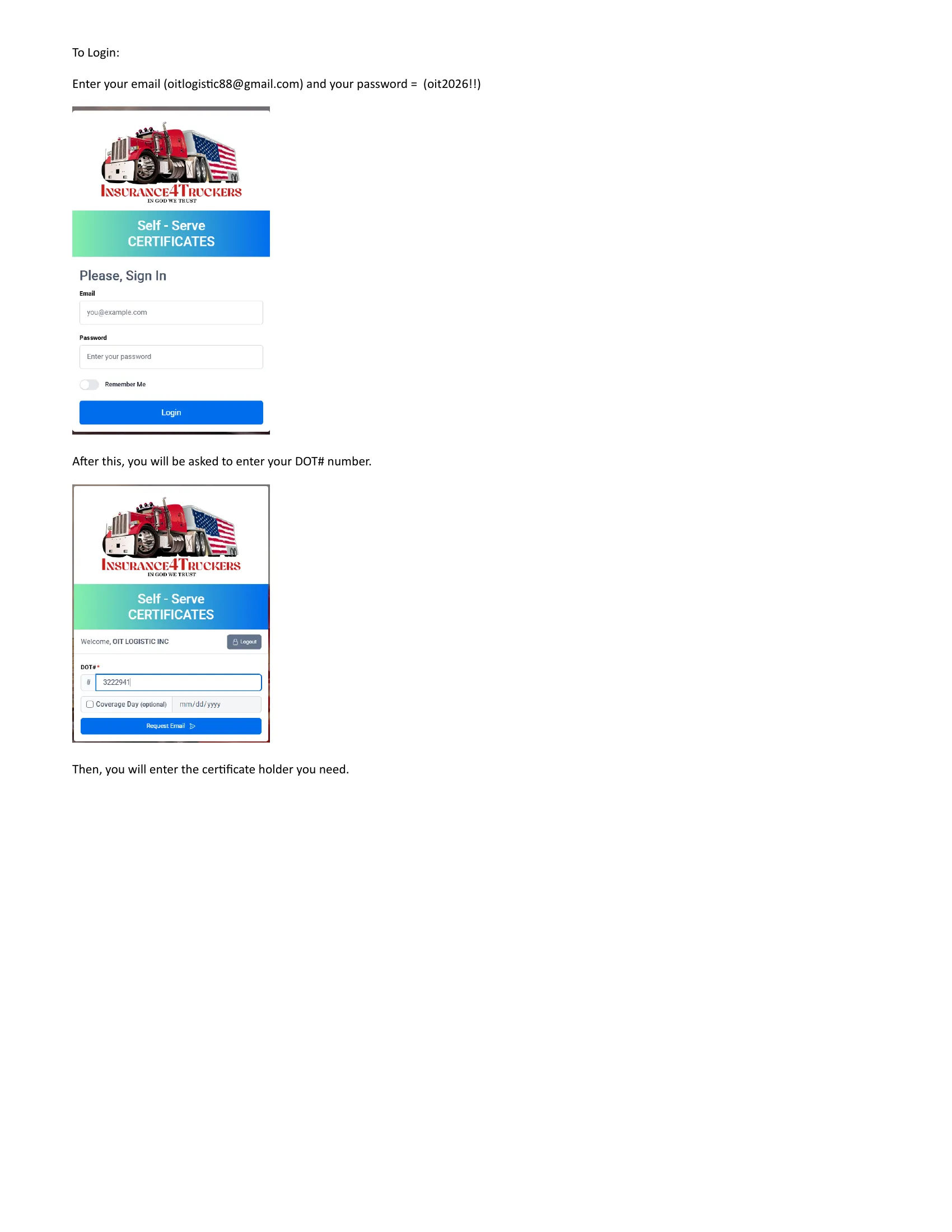
After this, you will be asked to enter your DOT# number.
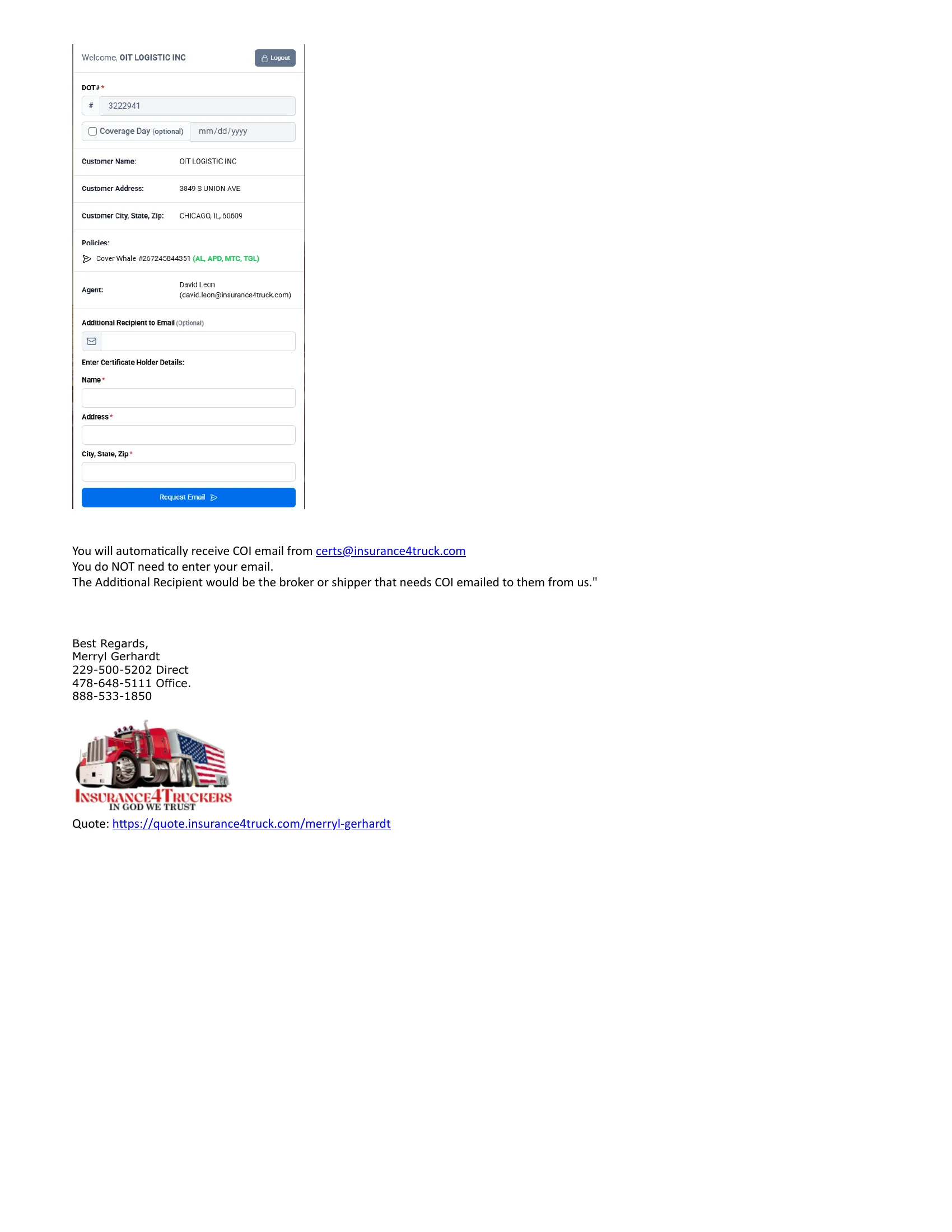
Then, you will enter the certificate holder you need.
You will automatically receive COI email from [email protected]
You do NOT need to enter your email.
The Additional Recipient would be the broker or shipper that needs COI emailed to them from us.
Before sending to a new customer: Replace the highlighted email and password with the credentials you set up in Step 1 above. The OIT version is already complete — just copy and paste to send.
Quick Reference
| Broker | Primary Email |
|---|---|
| RTS Financial | [email protected] |
| Registry Monitoring Insurance Services, Inc. (RMIS) | [email protected] |
| GREEN LOGISTICS LLC | [email protected] |
| Krosland Logistics LLC | [email protected] |
| Pathfinders Transportation, Inc. | [email protected] |
| Integrity Express Logistics | [email protected] |
| GENERAL TRANSPORTATION, INC | [email protected] |
| Descartes MyCarrierPortal | [email protected] |
| Highway App, Inc. | [email protected] |